Share
Item Code: ALL-S-TIM-1290
Top-Tier Condition – Allied Time USA CB4000 – Biometric Employee Time Clock System – Face, Palm, Fingerprint, PIN & RFID Clock-In – Wi-Fi/LAN Connectivity – Cloud Online Reporting – New/Open Box!
Top-Tier Condition – Allied Time USA CB4000 – Biometric Employee Time Clock System – Face, Palm, Fingerprint, PIN & RFID Clock-In – Wi-Fi/LAN Connectivity – Cloud Online Reporting – New/Open Box!
SEND INQUIRY OR OFFER YOUR PRICE
Couldn't load pickup availability
MAKE: Allied Time USA
MAKE: Allied Time USA
MODEL: CB4000
MODEL: CB4000
TYPE: Cloud-Connected Biometric Employee Time Clock System
TYPE: Cloud-Connected Biometric Employee Time Clock System
CONDITION: Brand New Equipment
CONDITION: Brand New Equipment
POWER TYPE: Electric / Low-Voltage AC Adapter
POWER TYPE: Electric / Low-Voltage AC Adapter
Voltage / Phase: 100–240V AC Adapter Input / DC 5V Device Input
Voltage / Phase: 100–240V AC Adapter Input / DC 5V Device Input
🔹 Condition
New / Open Box – Top-Tier Condition – Inspected & Ready for Account Setup
This Allied Time USA CB4000 biometric employee time clock is offered in new/open-box condition. The touchscreen clock reader, power adapter, original protective foam, and packaging are present as shown in the supplied photographs.
The exterior may show light fingerprints, dust, or minor handling marks from storage and inspection. The box has been opened, so all accessories should be checked before shipment or publication.
The unit should be powered on and connected to a CloudBiometry account before use. Biometric enrollment, network configuration, employee setup, and subscription activation are required.
Please review all supplied photographs carefully for the exact physical condition and included accessories.
🔹 Description
The Allied Time USA CB4000 is a web-connected biometric employee time clock designed to help restaurants, offices, warehouses, retail locations, schools, and other businesses record employee attendance and manage payroll hours.
Employees can clock in and out through several identification methods:
- Palm recognition
- Facial recognition
- Fingerprint scanning
- Personal identification number
- RFID proximity badge
These multiple authentication choices allow employers to select the most appropriate clock-in method for individual employees and workplace conditions. Biometric verification can also help reduce “buddy punching,” where one employee records time for another.
The CB4000 works with Allied Time’s cloud-based CloudBiometry service. Managers can access employee punches, schedules, time cards, reports, overtime, paid time off, lunches, departments, wages, and job tracking from an internet-connected device. No locally installed timekeeping software is required for the cloud platform.
🔹 Clock-In Methods
Palm Scan: Supported Facial Recognition: Supported Fingerprint Recognition: Supported PIN Code: Supported RFID Badge: Supported Mobile Clock-In: Available through the associated mobile application Web Clock-In: Subject to account and employee permissions
The manufacturer specifically identifies palm, face, fingerprint, PIN, and RFID badge verification as available clock-in options for the CB4000.
🔹 Cloud Reporting System
The CB4000 connects to the CloudBiometry online employee-timekeeping platform.
Available Management Functions
- Real-time employee punch viewing
- Employee time cards
- Regular-hours tracking
- Overtime calculations
- Paid-time-off tracking
- Lunch and break tracking
- Shift and schedule management
- Department tracking
- Wage information
- Up to 30 job assignments
- Late-arrival monitoring
- Early-departure monitoring
- Missed-punch identification
- Overtime alerts
- Payroll-ready reporting
- CSV data export
- Custom payroll mapping
The manufacturer states that the system can export time data and map it for payroll services such as ADP, Paychex, and Gusto. Final compatibility depends on the employer’s payroll configuration and export requirements.
🔹 Network Connectivity
Wi-Fi: Supported Ethernet / LAN: Supported System Type: Web-Based Cloud Timekeeping Multiple Locations: Supported through one online account Local Software Installation: Not Required for Standard Cloud Operation Internet Connection: Required for cloud synchronization and reporting
The system is intended to connect one or multiple business locations to a centralized cloud-based timekeeping account.
🔹 Display and Controls
- Color touchscreen display
- On-screen employee prompts
- Biometric enrollment interface
- Clock-in and clock-out selection
- Employee punch confirmation
- Network and device settings
- Administrative menus
- Visual attendance feedback
- Integrated biometric sensors
- RFID badge-reading area
The exact software interface may change after firmware or cloud-platform updates.
🔹 Electrical Specifications
The manufacturer label on the photographed unit confirms:
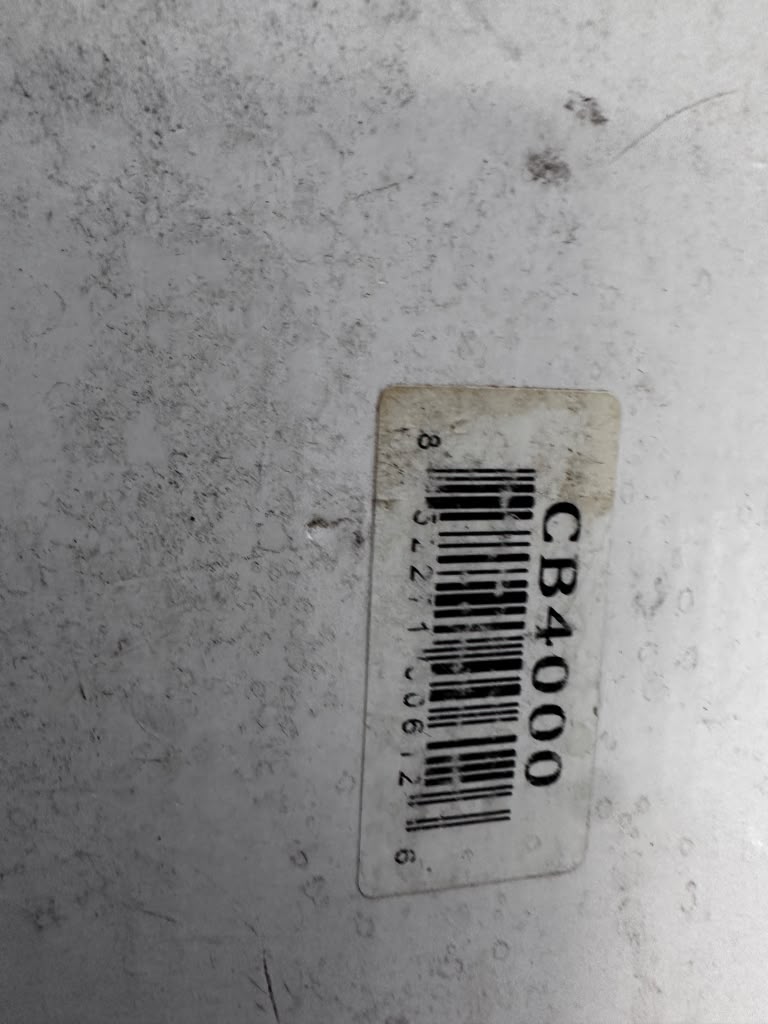
Device Input: DC 5V Rated Current: 1,000 mA Power Type: AC Adapter to Low-Voltage DC Adapter Input: 100–240V AC Adapter Frequency: 50/60 Hz Maximum Adapter Input Current: 0.3A Device Output Requirement: DC 5V / 1A
The included adapter should be matched to the clock before connection. Do not use an unapproved charger or power supply.
🔹 Approximate Dimensions
Width: Approximately 7 in Height: Approximately 5 in Depth: Approximately 1.5–2 in
Installation Style: Wall-Mounted or Countertop Placement Indoor / Outdoor Use: Indoor Use
Current product references describe the CB4000 body as approximately 7 inches wide and 5 inches high.
Final dimensions and mounting-hole spacing should be verified directly before preparing a permanent installation location.
🔹 Construction
- Black commercial housing
- Integrated color touchscreen
- Face-recognition camera
- Palm-recognition area
- Fingerprint reader
- RFID badge reader
- PIN-entry interface
- Wi-Fi networking
- Ethernet networking
- Low-voltage power connection
- Wall-mountable design
- Compact employee self-service format
🔹 Key Features
- Five employee identification methods
- Palm biometric recognition
- Facial-recognition clock-in
- Fingerprint attendance tracking
- PIN-based clock-in
- RFID badge support
- Wi-Fi and LAN connectivity
- Web-based online reporting
- Real-time employee punches
- Multi-location management
- Mobile employee clock-in capability
- Overtime and attendance alerts
- PTO and lunch tracking
- Department and job-cost tracking
- CSV payroll exports
- Cloud data storage
- Compact touchscreen design
- Suitable for small and medium-sized businesses
🔹 Employee and Business Applications
The CB4000 is suitable for:
- Restaurants
- Cafés
- Bakeries
- Commercial kitchens
- Warehouses
- Offices
- Retail stores
- Hotels
- Schools
- Healthcare offices
- Manufacturing facilities
- Service companies
- Property-management operations
- Multi-location businesses
- Catering companies
- Food-production facilities
🔹 Attendance Management Benefits
The system can help businesses:
- Replace handwritten time sheets
- Reduce manual payroll calculations
- Identify missing punches
- Review overtime before payroll
- Monitor late arrivals
- Track early departures
- Organize employee schedules
- Separate hours by department
- Track hours by job assignment
- Access reports remotely
- Export payroll data
- Reduce unauthorized clock-ins
- Maintain centralized records across locations
🔹 Included Cloud Trial and Subscription
A new CB4000 purchase currently includes:
- CB4000 clock reader
- Two RFID badges
- User manuals
- Mobile app access
- A 30-day CloudBiometry trial
After the trial period, a paid monthly CloudBiometry subscription is required for continued cloud reporting. The manufacturer currently publishes monthly plans ranging from $24 for 1–9 employees to $125 for 100–250 employees, with additional charges for larger employee counts or extra clock devices. Subscription prices may change.
Important Subscription Note
The purchase price of the physical clock does not permanently include the online reporting service. The buyer must create or transfer an eligible account and pay the applicable ongoing subscription fee after the trial.
🔹 Payroll Reporting
CloudBiometry supports:
- Detailed time cards
- Summary reports
- Regular-hours reports
- Overtime reports
- Department reports
- Employee attendance reports
- Payroll-period reporting
- CSV exports
- Custom payroll mapping
- Multi-location reporting
The employer should confirm the desired payroll provider and export format before final deployment.
🔹 Biometric Privacy and Employee Enrollment
Because the device can collect biometric identifiers, the employer is responsible for following applicable privacy, employment, consent, retention, and data-security requirements.
Before enrolling employees, the business should:
- Provide required notices
- Obtain any legally required consent
- Establish a biometric-data policy
- Limit administrator access
- Set retention and deletion procedures
- Protect account credentials
- Follow applicable local and state employment laws
- Offer an alternative clock-in method when required
PIN or RFID badge clock-in may provide alternatives for employees who cannot or should not use biometric verification.
🔹 Setup Requirements
Before operation:
1. Connect the approved power adapter. 2. Create or activate the CloudBiometry account. 3. Connect the clock to Wi-Fi or Ethernet. 4. Add the device to the employer account. 5. Configure departments, shifts, jobs, and pay periods. 6. Add employees. 7. Enroll authorized biometric templates, PINs, or badges. 8. Assign employee permissions. 9. Test clock-in and clock-out transactions. 10. Confirm punches appear in the online dashboard. 11. Configure payroll exports. 12. Train managers and employees.
🔹 Installation Recommendations
- Install indoors in a dry area
- Position near a reliable Wi-Fi signal or Ethernet connection
- Place at a comfortable employee height
- Avoid direct sunlight on the camera and touchscreen
- Keep away from steam, grease, sinks, and cooking equipment
- Use the supplied or manufacturer-approved adapter
- Secure the clock to prevent removal
- Protect the network cable
- Maintain administrator-password security
- Test biometric performance under actual workplace lighting
For a restaurant, the clock should be installed away from hot lines, dishwashing areas, walk-in condensation, flour dust, grease vapors, and food-preparation surfaces.
🔹 Cleaning and Maintenance
- Disconnect power before cleaning
- Wipe the housing with a soft cloth
- Clean the touchscreen with an electronics-safe cloth
- Clean the fingerprint sensor gently
- Keep the camera lens free of dust
- Do not spray cleaner directly onto the unit
- Do not immerse the device
- Inspect the power adapter and cable
- Check Wi-Fi or Ethernet connectivity
- Install approved firmware updates
- Review employee records periodically
- Remove former employees from active access
- Test alternative PIN or badge access regularly
🔹 Regulatory Information
The photographed device label confirms:
- FCC ID: 2ARPD-CB4000
- FCC Part 15 compliance
- Device input: DC 5V / 1,000mA
- Manufactured in China
FCC compliance relates to the device’s radio-frequency operation and does not represent a foodservice sanitation certification.
🔹 Manufacturing Information
Brand: Allied Time USA Product: Biometric Time Recorder Model: CB4000 FCC ID: 2ARPD-CB4000 Equipment Type: Cloud-Connected Biometric Employee Time Clock Identification Methods: Palm, Face, Fingerprint, PIN and RFID Network: Wi-Fi / Ethernet Device Input: DC 5V / 1A Adapter Input: 100–240V AC, 50/60 Hz Country of Manufacture: China
🔹 Included
- Allied Time USA CB4000 biometric time clock
- Touchscreen clock reader
- Face, palm, and fingerprint sensors
- Power adapter shown in the photographs
- Original protective foam
- Original box
- Components physically shown in the supplied photos
The unit is sold exactly as shown.
Included Only When Physically Confirmed
- Two RFID badges
- Wall-mounting hardware
- User manuals
- Network cable
- Original registration information
- Cloud-service trial eligibility
A previously registered device may require account removal or support assistance before it can be activated under a different business account.
🔹 Important Notes
- Sold as-is, where-is
- New/open-box employee timekeeping hardware
- Exact model confirmed as CB4000
- Power adapter included as shown
- Cloud subscription required after any applicable trial
- Trial eligibility should be confirmed with Allied Time
- RFID badges included only when physically present
- Account registration is not transferable unless approved
- Previous account association should be checked
- Internet connection required for cloud synchronization
- Biometric enrollment and employee consent may be required
- Employer is responsible for privacy and labor-law compliance
- Keep away from moisture, grease, heat, and outdoor exposure
- No foodservice NSF certification applies
- Manufacturer warranty eligibility depends on account and purchase status
- Shipping calculated at checkout
- Local pickup available
- Review all photographs carefully before purchase